Gemini guideConnect Frame24 to Gemini
Add Frame24 to Gemini as a custom app in about two minutes — every step pictured — then ask Gemini to make a product film of your website and real screens.
Adding Frame24 to Gemini takes about two minutes. You give Gemini Frame24's web address and sign in to Frame24 once. From then on you can ask Gemini for product films — it researches your product, captures your real screens and checks the story with you before anything is made.
You need: a personal Google account (not work or school), aged 18 or over, in the US, with Keep Activity turned on — Google's requirements for custom apps. Set it up on gemini.google.com in a browser; the mobile app picks it up afterwards. You do not need a Frame24 account yet — you can create one during step 4.
Connect Frame24 to Gemini
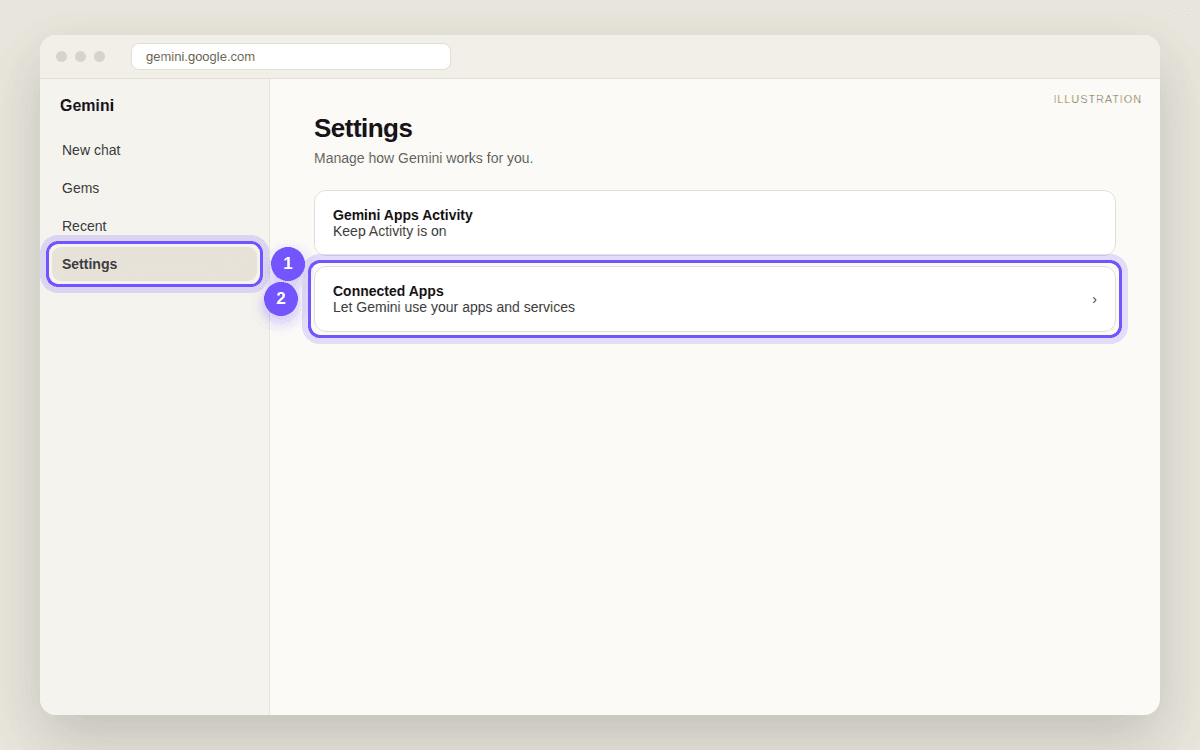
- Open Connected AppsOn gemini.google.com, open Settings (bottom of the sidebar), then Connected Apps.
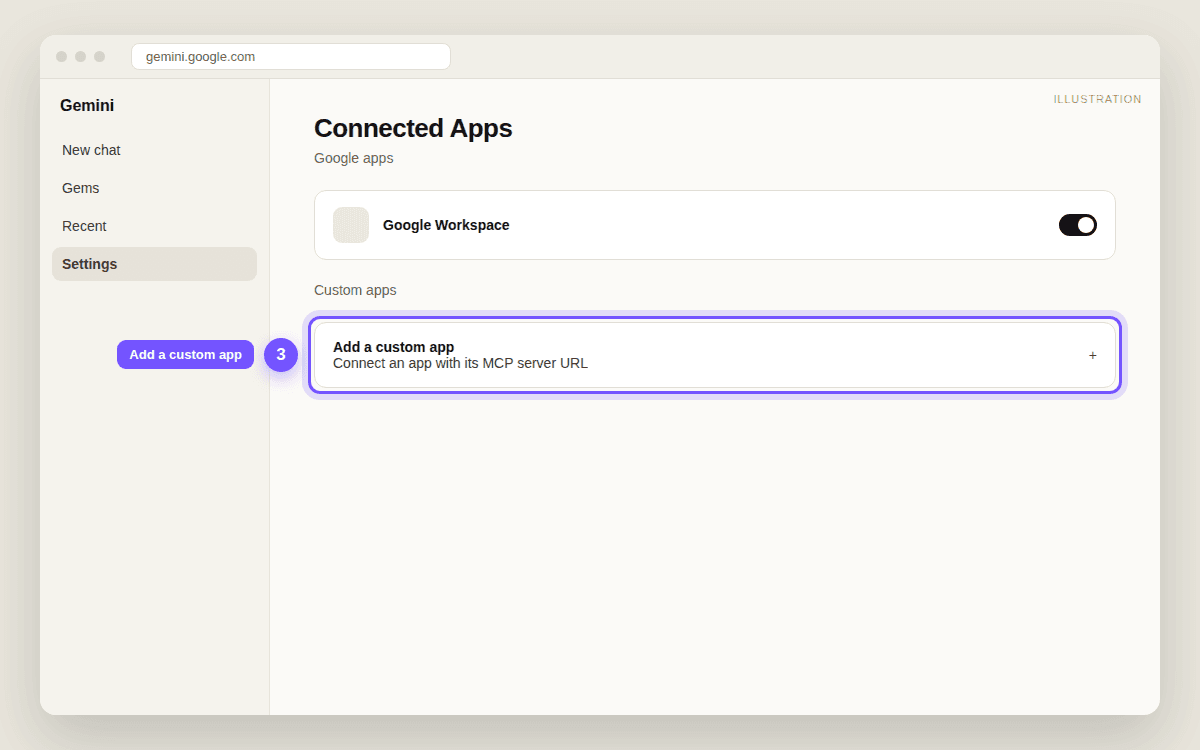
- Add a custom appUnder Custom apps, click Add a custom app.
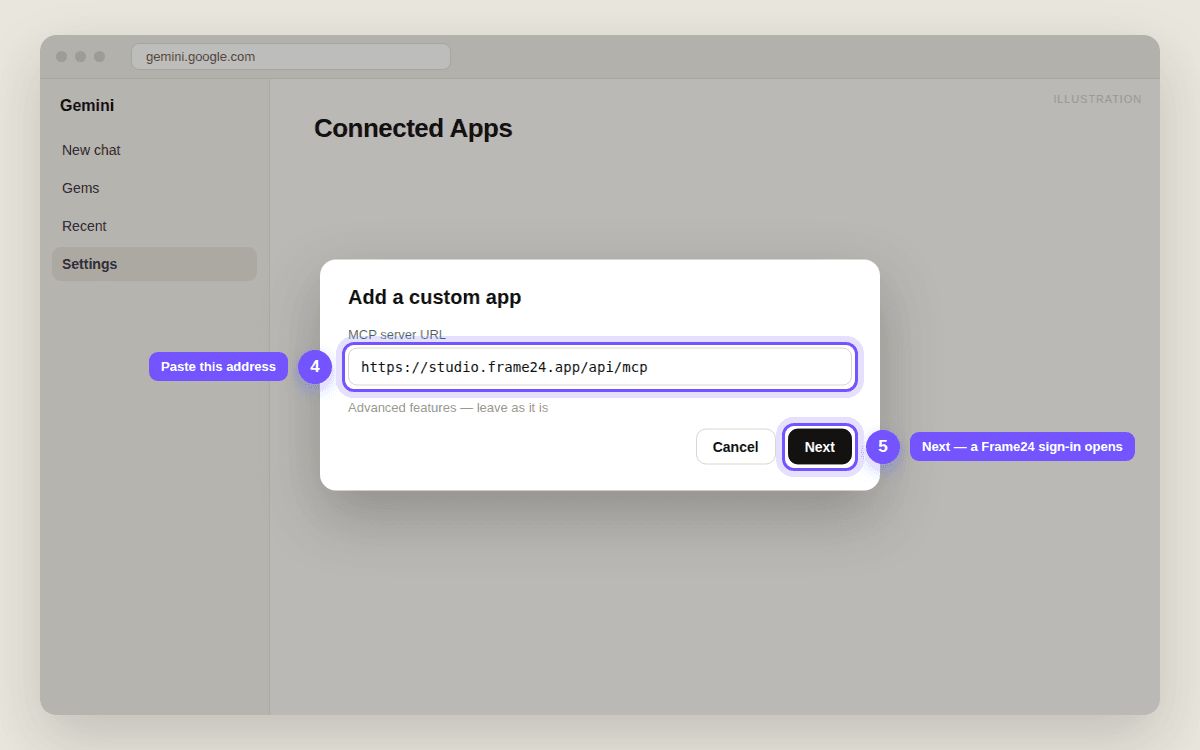
- Paste Frame24's addressPaste https://studio.frame24.app/api/mcp as the server URL. Leave Advanced features as they are and click Next.
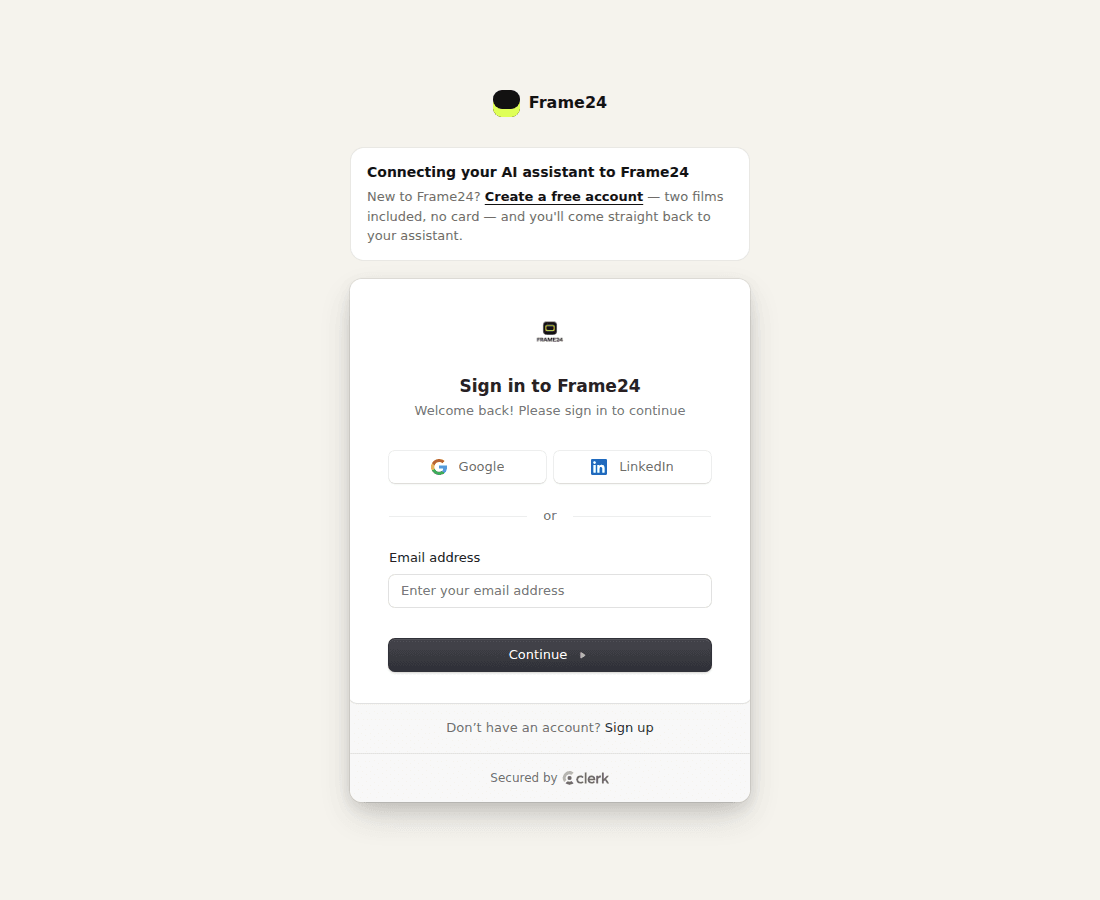
- Sign in to Frame24A Frame24 page opens: sign in with Google, LinkedIn or your email — or click Create an account if you are new.
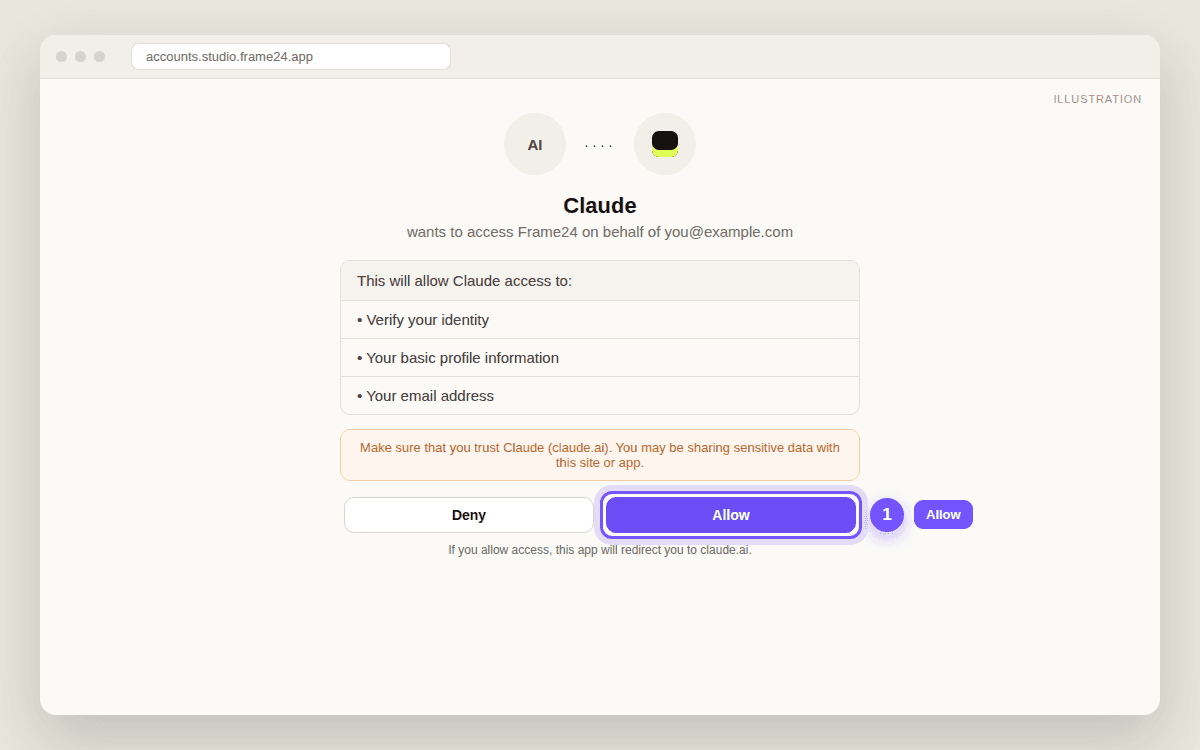
- Click AllowFrame24 asks whether Gemini may use your Frame24 account. Click Allow. You land back in Gemini with Frame24 connected.
- Type @ in a chat and askIn a new chat, type @, pick Frame24 and ask for your film.
1. Settings → Connected Apps
2. Add a custom app
3. Paste Frame24's address and click Next
4. Sign in to Frame24
A Frame24 page opens. If you already use Frame24, sign in the way you normally do. If you are new, click Create an account, then start the 3-day trial — three 30-second films, card required. You come straight back to Gemini afterwards.
5. Click Allow
6. Type @, pick Frame24, and ask
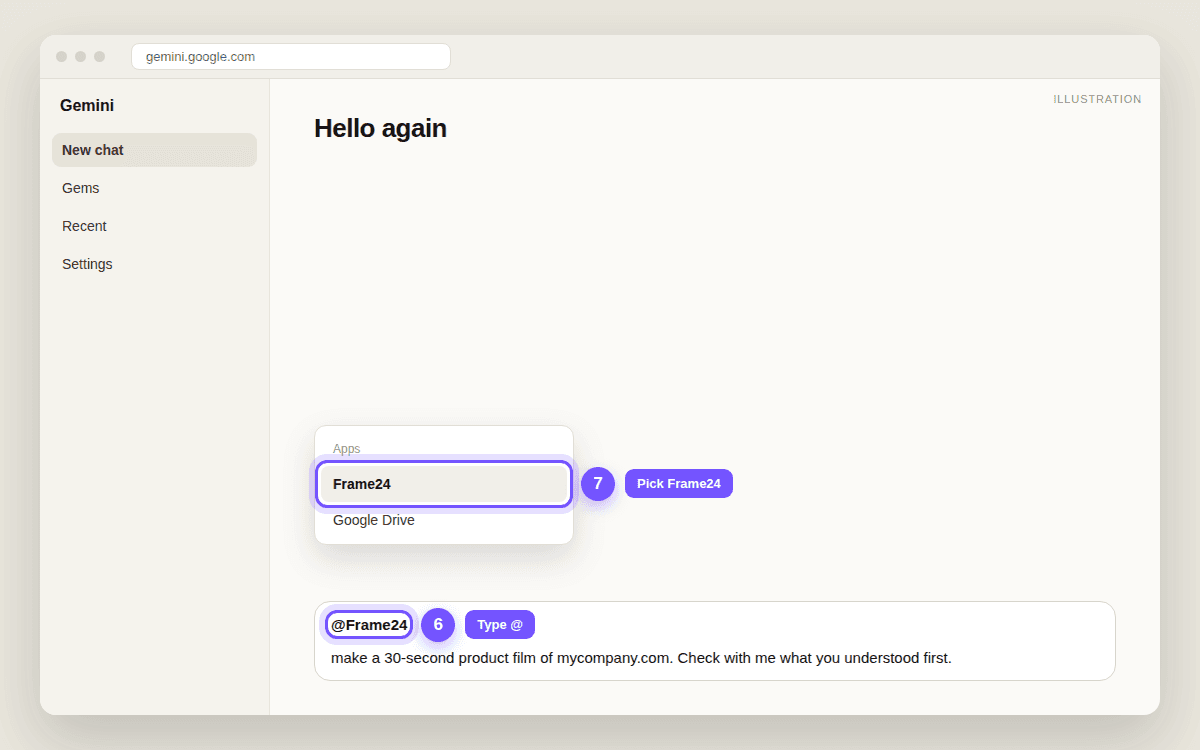
- "@Frame24 make a 30-second product film of mycompany.com. Check with me what you understood first."
- "@Frame24 capture our sign-up flow and show me the screens."
- "@Frame24 watch the film and tell me what isn't working."
If something does not work
| What you see | What it means | What to do |
|---|---|---|
| No Custom apps section | Outside the US, a work or school account, or Keep Activity is off | Check the requirements above, or use Claude or ChatGPT instead |
| The sign-in page asks for an email code | That is Frame24's normal sign-in | Enter the code from your email, or use Google or LinkedIn |
| Frame24 does not appear after typing @ | The connection did not finish | Go back to Connected Apps and connect Frame24 again |
| Anything else | — | Email support@frame24.app with a screenshot |
Questions people ask
Can I add Frame24 to Gemini outside the US?
Not yet. Google's custom apps are available to personal accounts in the US, aged 18 or over. Elsewhere, use Frame24 in Claude or ChatGPT, or directly in the Frame24 studio.
Can I use it with my work Google account?
Not in the consumer Gemini app — custom apps need a personal Google account. Google Workspace and Gemini Enterprise have their own admin-managed connections.
Why does Gemini ask me to turn on Keep Activity?
Custom apps are unavailable while Keep Activity is off; that is Google's requirement, not Frame24's. You can find it under Gemini Apps Activity in Gemini's settings.
Does it work on my phone?
Yes, once you have connected Frame24 on gemini.google.com in a browser. After that you can type @Frame24 in the Gemini mobile app too.
Keep reading
Connect Frame24 to ChatGPT, Claude or Gemini
Two minutes, one web address, one sign-in — then ask your assistant for a product film the way you would ask a colleague.
Connect Frame24 to Claude
In any chat: + → Connectors → Add connector → Add custom connector, paste one address, sign in. About two minutes, on every Claude plan.
Connect Frame24 to ChatGPT
Turn on Developer mode, create a Frame24 app with one address, sign in. About three minutes on ChatGPT Plus, Pro, Business, Enterprise or Education.